
 Tools
Tools 
 Compress PDF
  Merge PDFs
  Split PDF
  Edit PDF
  Remove pages
  Watermark
  Page Number
  PDF to Word
  PDF to Excel
  PDF to PPT
  PDF to JPG
  PDF to PNG
  PDF to HTML
  PDF to DOCX
  Word to PDF
  Excel to PDF
  PPT to PDF
  ODT to PDF
  JPG to PDF
  PNG to PDF
  HTML to PDF
  Save as PDF
  DOCX to PDF
  DOC to PDF
  Sign PDF
  Protect PDF
  Unlock PDF
  Word Online Editor
  Word Online View
  Word Online Create
  Excel Online Editor
  Excel Online View
  Excel Online Create
  PPT Online Editor
  Powerpoint Viewer
  PPT Online Create
  WORD ONLINE
 EXCEL ONLINE
 PowerPoint ONLINE
How to Edit a PDF Online for Free with qwerpdf
Why Edit PDFs Online?
Editing a PDF online gives you flexibility without needing to download bulky software or pay subscription fees. Whether you're correcting a typo, adding a comment, signing a form, or inserting images — an online tool like qwerpdf lets you do it all directly from your browser.
Step-by-Step: How to Edit a PDF on qwerpdf
Here’s how you can quickly and easily edit your PDF document using qwerpdf:
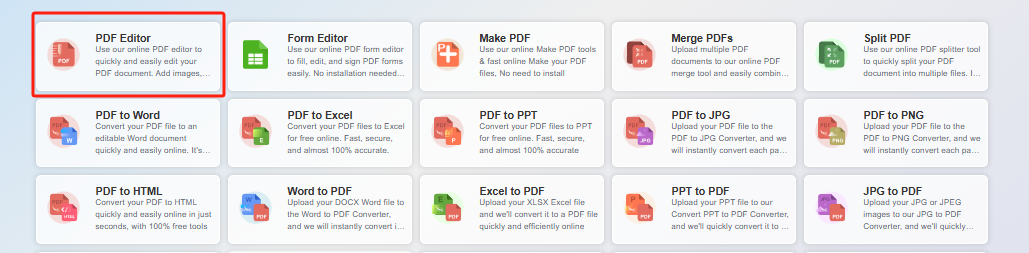
1. Go to the qwerpdf Edit Tool
Visit qwerpdf.com and click on the “Edit PDF” tool from the homepage or top menu.
2. Upload Your PDF File
Drag and drop your PDF file into the upload area or click to select it from your device. The upload is secure and fast.
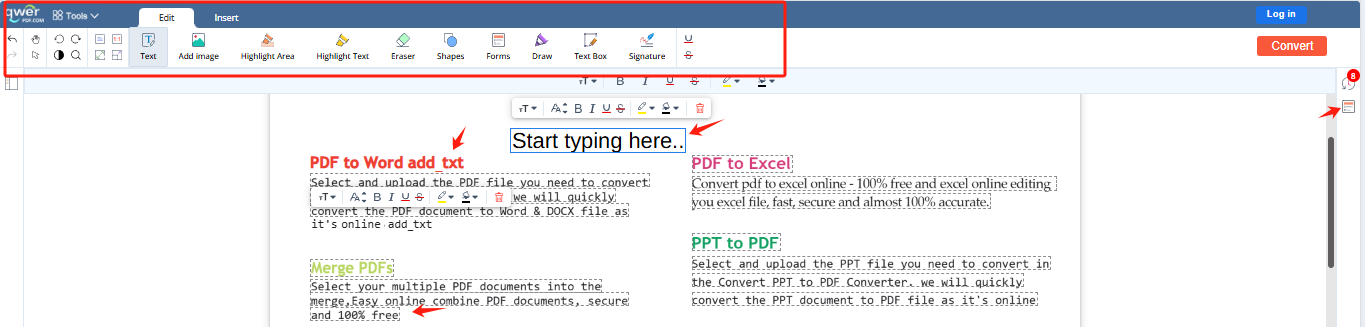
3. Start Editing
Once uploaded, the PDF will open in the qwerpdf editor. You can:
Add or delete text
Draw or highlight areas
Insert images or shapes
Add a signature
Annotate with comments
4. Save and Download
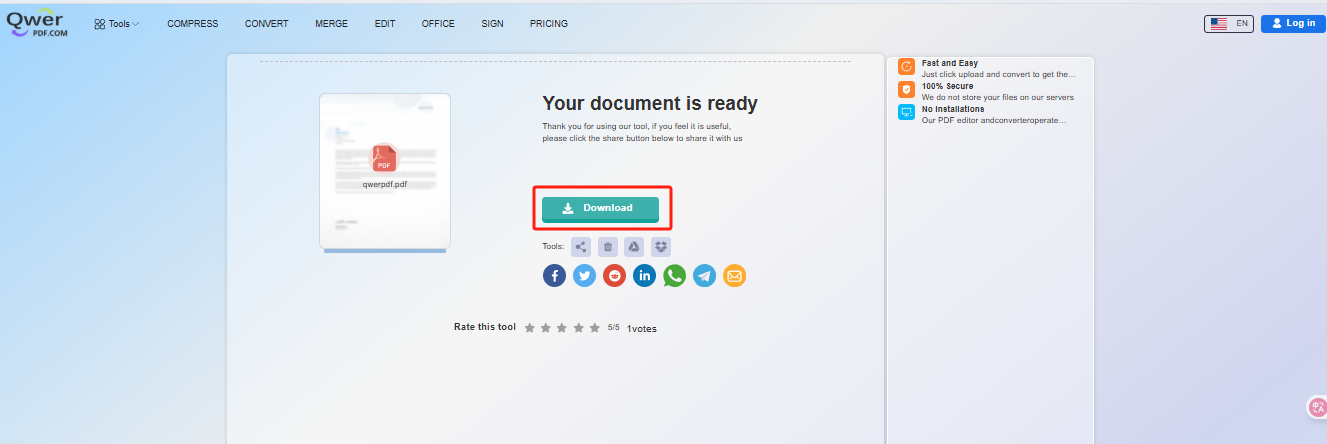
When you're done editing, click “Apply” to process the changes. Then hit the “Download” button to get your updated file — ready to share or print.
Key Features of qwerpdf’s PDF Editor
No Installation Needed: Everything runs in your browser.
Compatible with All Devices: Works on desktop, tablet, and mobile.
Multiple Edit Options: Text, images, shapes, signatures, and more.
Secure & Private: Files are auto-deleted after editing for your privacy.
Use Cases
Here are a few common situations where qwerpdf’s online editor can help:
Correcting typos in resumes or applications
Filling out forms and adding electronic signatures
Marking up contracts for review
Highlighting text in documents for sharing
Final Thoughts
Editing a PDF doesn’t have to be complicated or costly. With qwerpdf, you get a powerful, user-friendly online tool to make quick edits for free — whenever and wherever you need.